

- Select the feature gate or dynamic config where you want to target a set of users
- Click the Add New Rule button
- In the criteria, select the User in Segment option
-
Select the segment that you want to use and enter a name
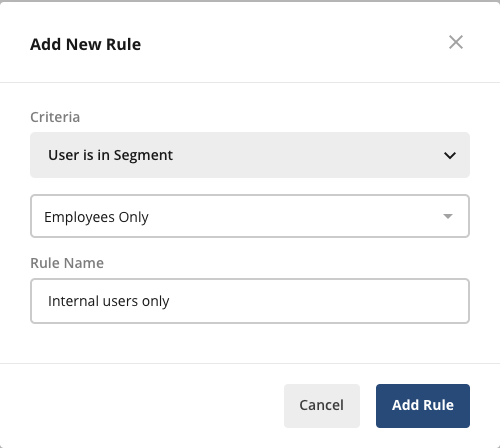
- Click the Add Rule button
- Click the Save Changes button at the top right of the Rules section
Segments
Using a segment
Learn how to use segments to target users in feature gates and dynamic configs
You can use a segment to target a set of users in a feature gate or a dynamic config as follows: