> ## Documentation Index
> Fetch the complete documentation index at: https://statsig-4b2ff144-mintlify-add-local-eval-country-note-96362.mintlify.site/llms.txt
> Use this file to discover all available pages before exploring further.
# Disable a Group
> Learn how to disable poorly performing experiment groups while keeping other test groups running.
## Disabling a Group in an Experiment
Sometimes you start an experiment with multiple test groups, only to find that one of the groups is performing very poorly or creating bad user experiences. The other test groups are fine and you want to keep them running, but stop the bad experiences. For these situations, we allow you to disable an experiment group.
### What to expect when group is disabled
* Users already assigned to the disabled group will begin to receive the default experience
* New users can be assigned to the disabled group and receive the default experience
* Exposures for the disabled group will continue to be tracked
* Sample Ratio Mismatch (SRM) should not be triggered from the disabled group
* Experiment results will continue to be calculated for the disabled group
We keep showing the group and logging exposures so that you can verify that the user experiences have recovered after the group was disabled.
### How To
* Log into the Statsig console at [https://console.statsig.com](https://console.statsig.com)
* On the left-hand navigation panel, select **Experiments**
* Select the experiment where you want to disable a group
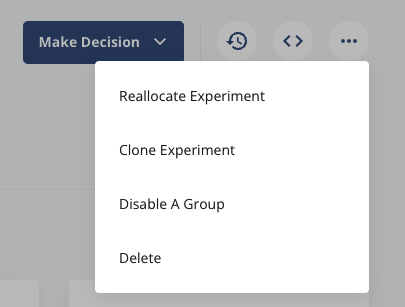
* Click on the **...** menu in the top right corner
* Select the **Disable A Group** option
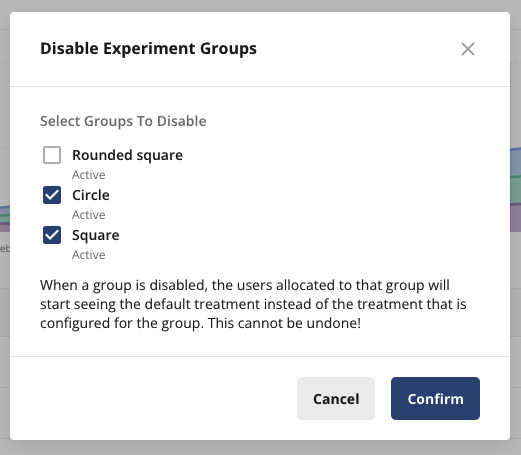
* Select the experiment groups you would like to disable, and hit **Confirm**
 ## Reenable a Group
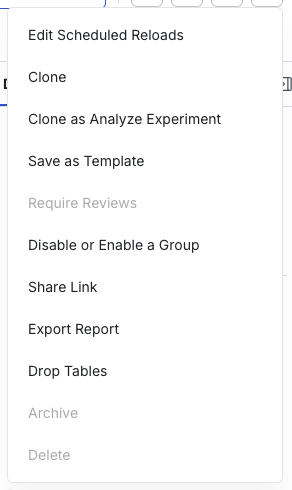
If you've previously disabled a group but want to revert this change, you can reenable a group by using the **...** menu and selecting **Disable or Enable A Group**.
## Reenable a Group
If you've previously disabled a group but want to revert this change, you can reenable a group by using the **...** menu and selecting **Disable or Enable A Group**.
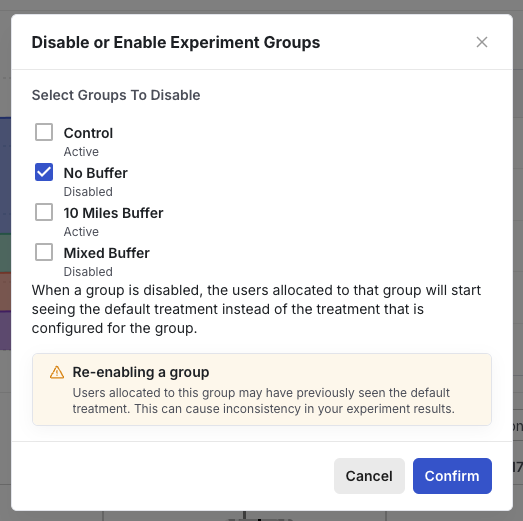 Be mindful that users in any reenabled group might have experienced multiple treatment experiences over the course of the experience. This may be reflected in the metric data collected for the group.